
Understanding Soundstage in Headphones
Why great headphones don’t just play music, they place you inside it
Most people think of headphones in terms of bass, clarity, or volume. That’s like judging a movie purely on brightness and color.
Audiophiles obsess over something else entirely: space.
Two of the most important (and probably most misunderstood) aspects of that space are soundstage and imaging. Get these right, and music stops sounding like it’s coming from your ears… and starts existing around you.
Soundstage in headphones
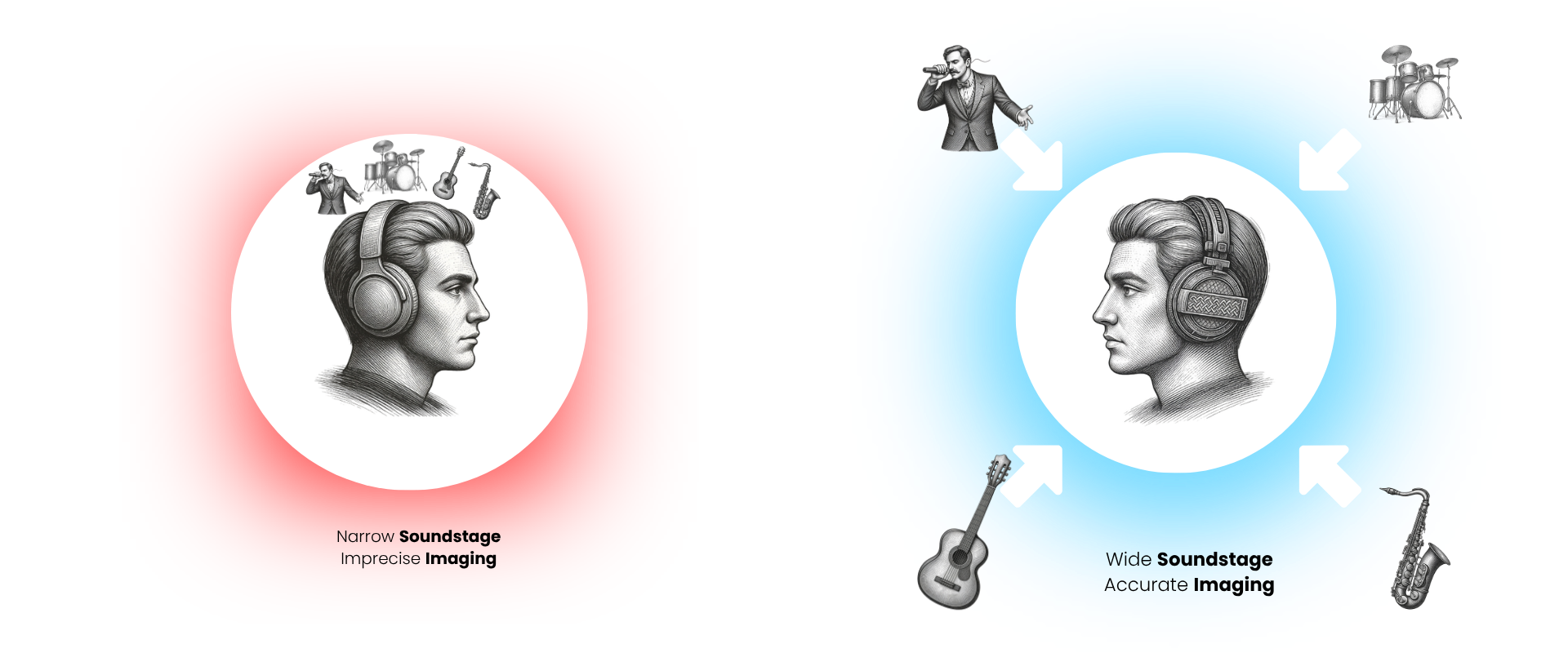
Soundstage is the perceived space of the music.
Not physically (you’re still wearing headphones), but perceptually. How wide, deep, and open the sound feels.
A narrow soundstage feels like everything is inside your head
A wide soundstage feels like instruments extend beyond your ears
A deep soundstage gives a sense of front-to-back layering
High-end audiophile headphones are designed specifically to create this sense of space, often using open-back designs and large diaphragms to reduce acoustic constraints and allow sound to breathe .
Imaging: The Precision of Placement
If the soundstage is the size of the room, imaging is the accuracy of where things sit inside it.
Can you pinpoint exactly where the guitar is? Is the vocalist dead center, or slightly forward? Do drums feel like they’re behind everything, or smeared across the mix?
Good imaging means:
Instruments have clear, fixed positions
Sounds don’t “bleed” into each other
Movement (like panning effects) feels intentional and realistic
Bad imaging feels like someone took the entire band… and shoved them into a single blurry blob.
What Actually Creates Soundstage and Imaging?
This is where sound engineering really starts to matter:
1. Driver Speed (Transient Response)
Fast drivers can start and stop instantly, preserving micro-details that define spatial cues.
Slow driver = blurred positions
Fast driver = precise placement
2. Distortion Levels
Distortion smears the signal, collapsing space.
Low distortion = clearer separation between instruments
High distortion = everything overlaps
3. Diaphragm Size and Behavior
Larger, more controlled diaphragms can move more air with less effort, maintaining accuracy without strain.
4. Acoustic Design
Open-back, angled drivers, and careful tuning all help simulate natural sound propagation.
Why It Really Matters
Soundstage and imaging aren’t just audiophile buzzwords. They change how you experience music:
A live recording feels like you’re there
A film score surrounds you instead of sitting flat
Games become immersive, with directional awareness
Even simple acoustic tracks gain emotional depth
It’s the difference between hearing music and being inside it. So:
Soundstage = how big the space feels
Imaging = how accurately sounds are placed within that space
Most headphones give you sound. Great headphones give you dimension. Exceptional ones give you presence.
Genesis One - Designed for Space
With the development of Genesis One, soundstage and imaging were part of the core objective right from the start.
We designed Genesis One from the ground up to recreate space as faithfully as possible. An open-back architecture, combined with an angled driver and an ultra-large flat-panel diaphragm, allows sound to propagate more naturally, creating a wider, more realistic sense of space around the listener. Rather than forcing sound directly into the ear, it is allowed to unfold.
At the core of this is our CrystalCore™ transducer. By minimizing mechanical inertia and distortion, it preserves the fine details that define positioning. The result is not exaggerated width or artificial separation, but something more difficult to achieve:
A soundstage that feels open and dimensional, paired with imaging that is precise, stable, and effortless.